
This guide explains how to assign more than one organization to a user in DataHub.
Step-by-Step Instructions
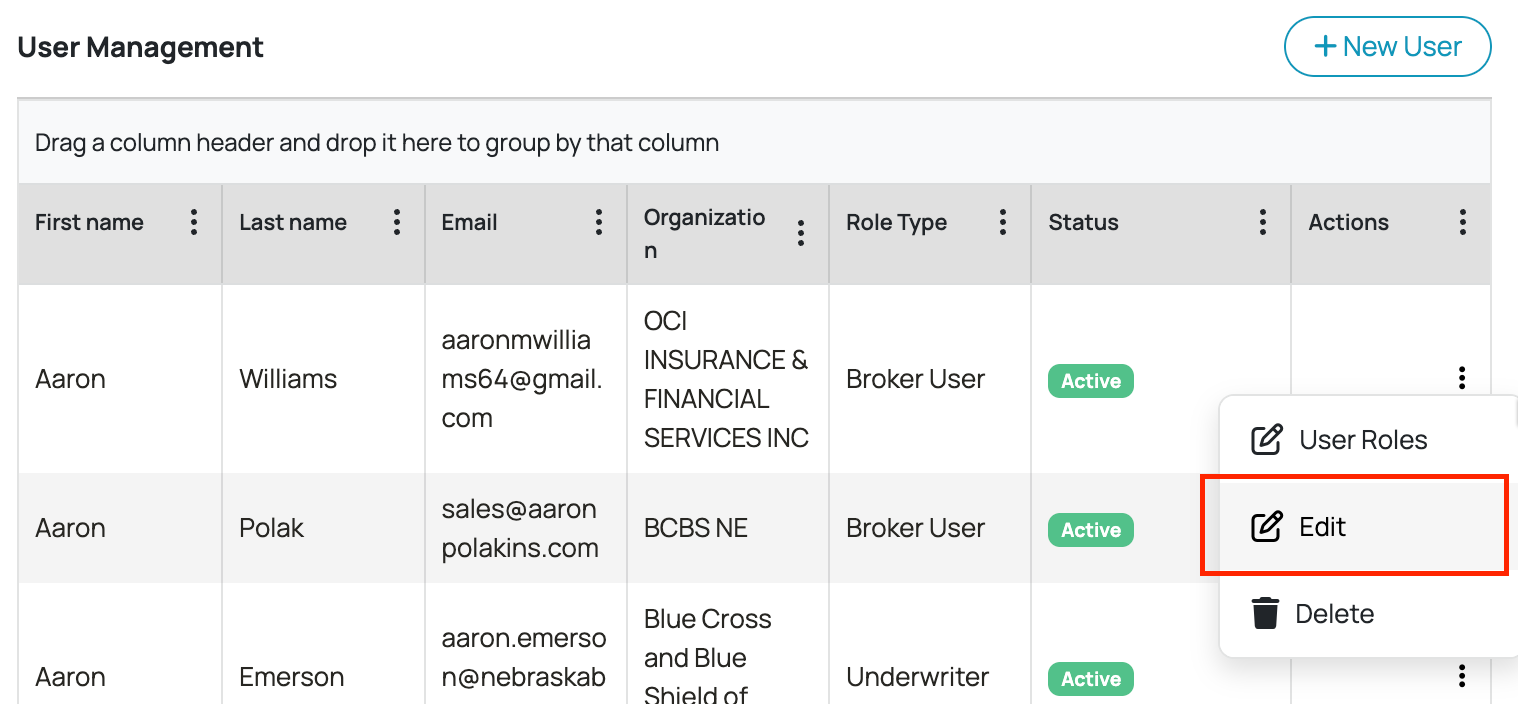
1. Navigate to the User Management section and click the user you want to assign multiple organizations to and click Edit.
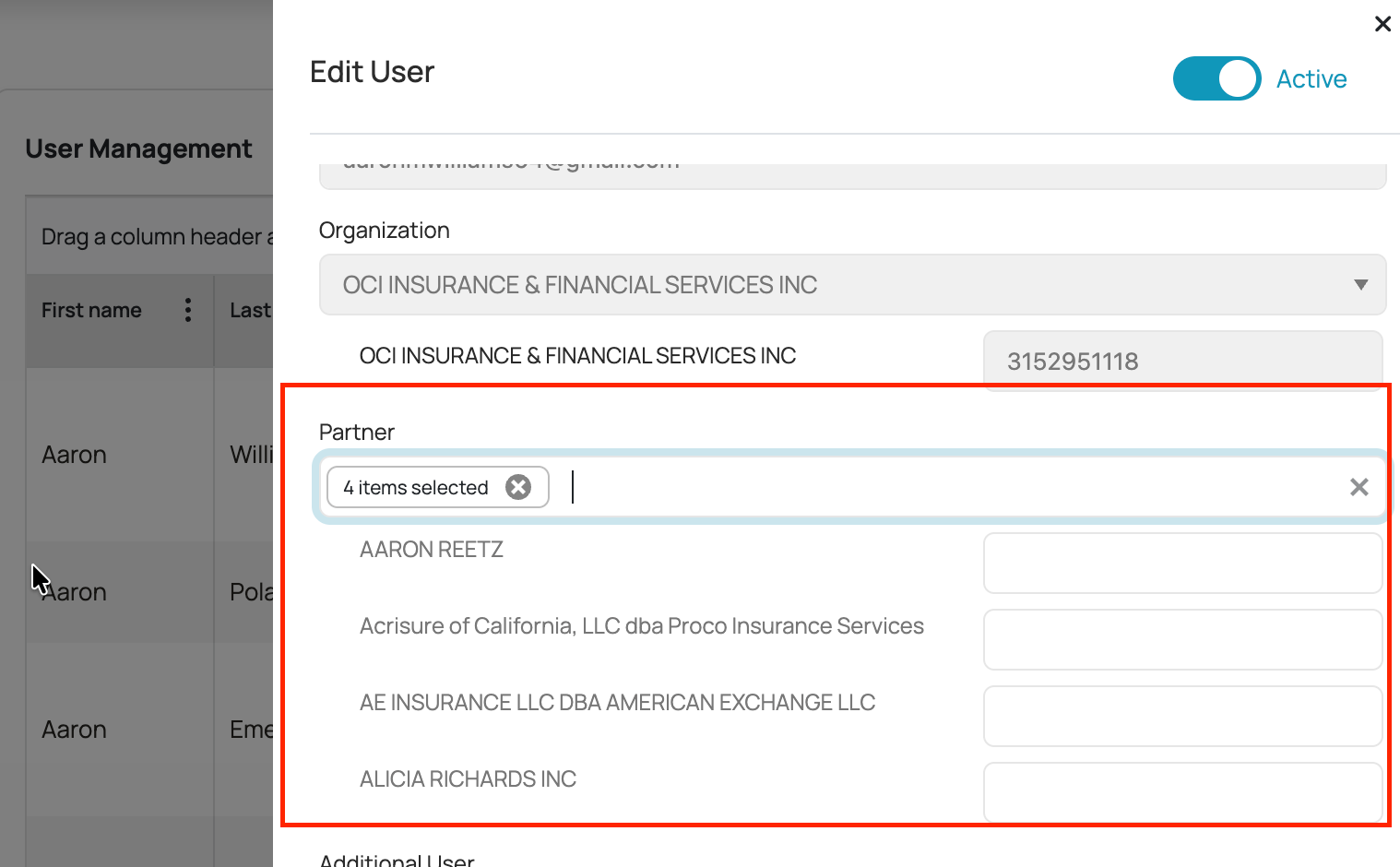
2. Use the Partner field to select the user's additional organization assignment. You may select multiple organizations for a user. The badge will update to reflect the total count selected. With the filtered list visible, press Ctrl+A on your keyboard. This will select all users currently shown in the list at once — no need to manually click each one.
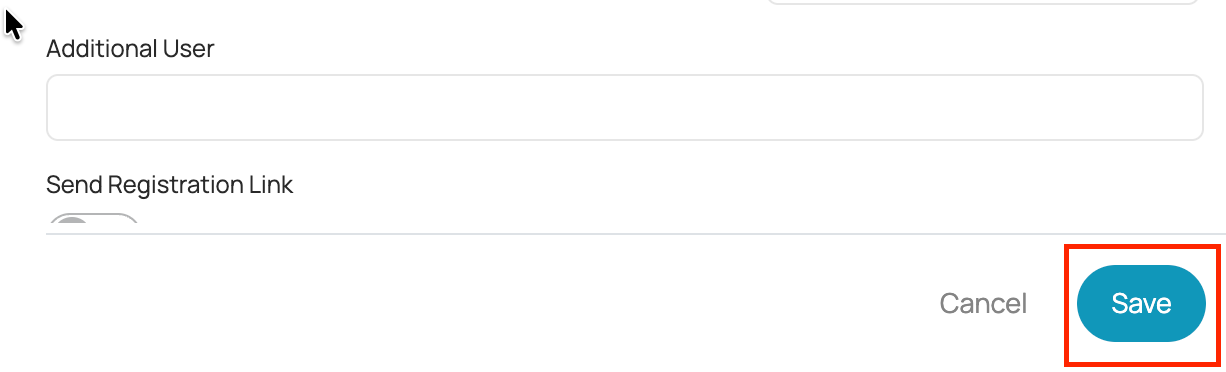
3. Click the Save button at the bottom of this panel. All selected organizations will be linked/assigned to the user immediately.
Note: The Organization field and the Partner field work together. Organization sets the user's primary org; Partner is where unlimited additional org assignments are managed. You can update Partner assignments at any time by returning to Edit User — your changes save instantly.
Was this article helpful?
That’s Great!
Thank you for your feedback
Sorry! We couldn't be helpful
Thank you for your feedback
Feedback sent
We appreciate your effort and will try to fix the article