

This guide details how to create a group census using the Data Hub dashboard.
Initiating the Process
Start RFP: From the dashboard, navigate to the upper right corner and select the yellow "Start RFP" button.

Selection: Choose "Group" from the drop-down menu.
Census vs. PHQ:
Census: Select this if you are uploading your own data, including general group information and specific employee details.
PHQ: Select this to input broad group information; the system will then generate a link for employees to complete their own health applications.
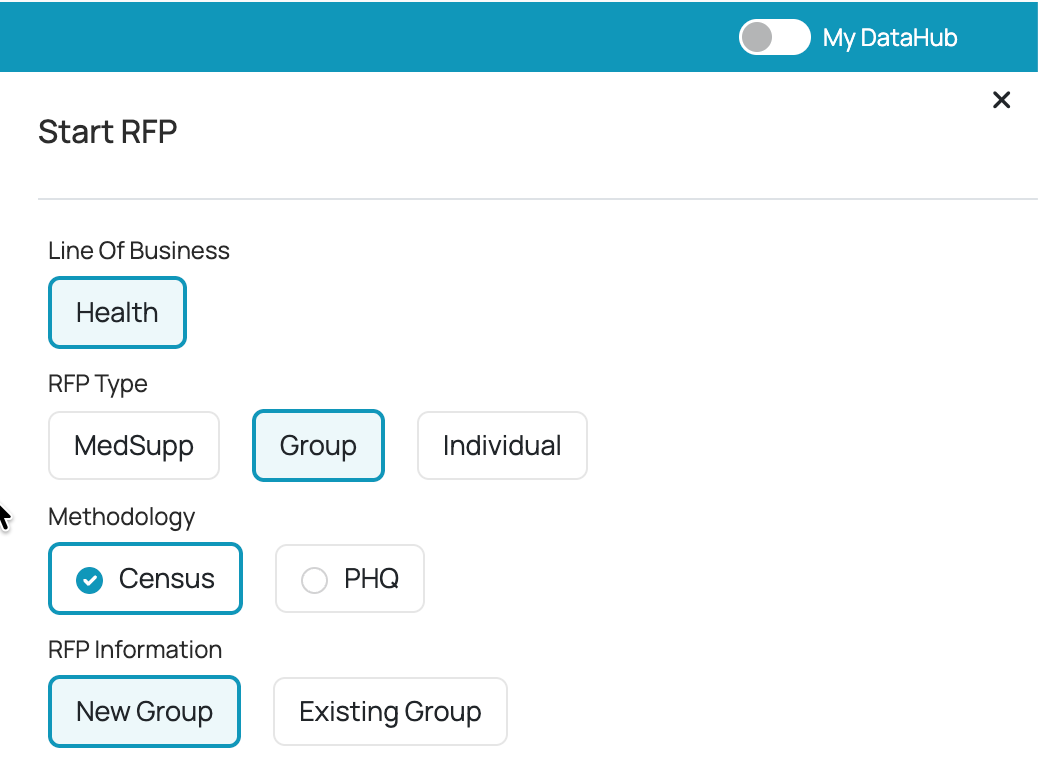
Using the Census Workflow and SmartExtractor™
Data Entry: After selecting "Census," you can either enter data manually or use the "SmartExtractor™" to upload a file.
SmartExtractor™ Setup:
Assign an agent to the group.
Browse and upload your file.
Nominate spreadsheet tabs for group information and census details.
Use the "Download Template" button if you need instructions on required fields or formatting.
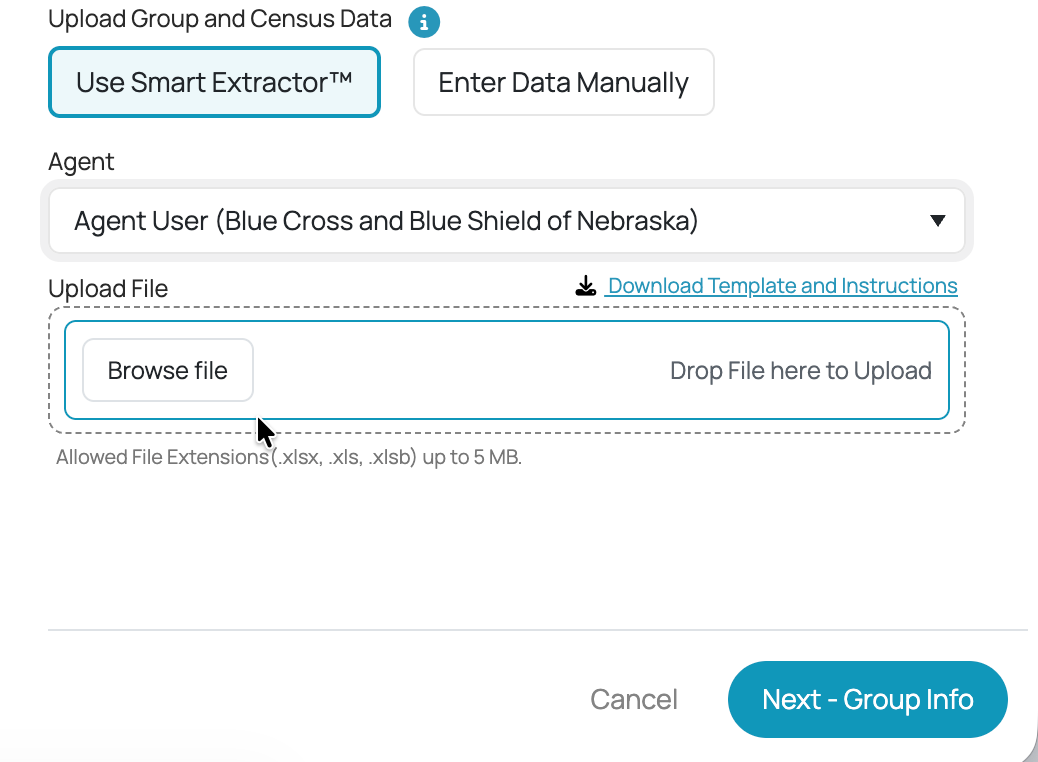
Click "Next" to allow the system to extract the data. The system will display successfully extracted data or provide error messages if required fields (e.g., name, address) are missing.
Finalizing Group Details
Portfolio: Select the desired lines of coverage (Dental, or Vision).
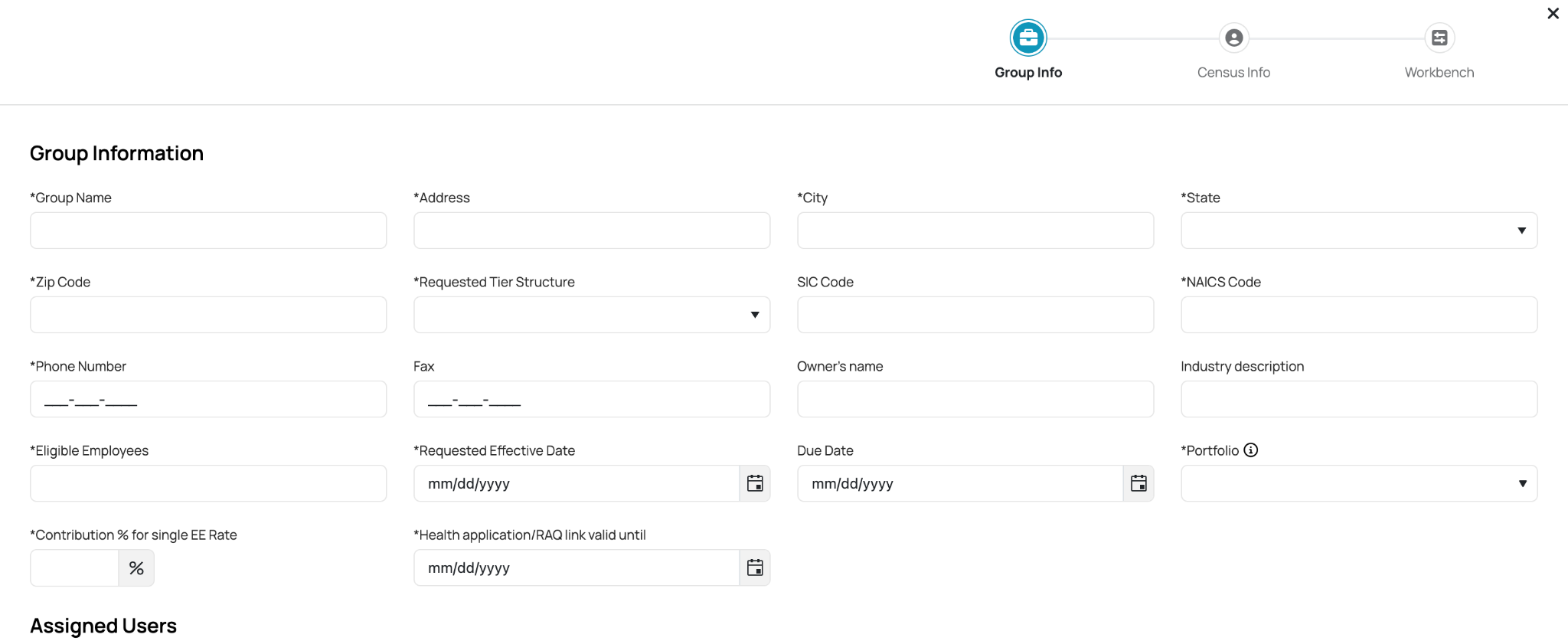
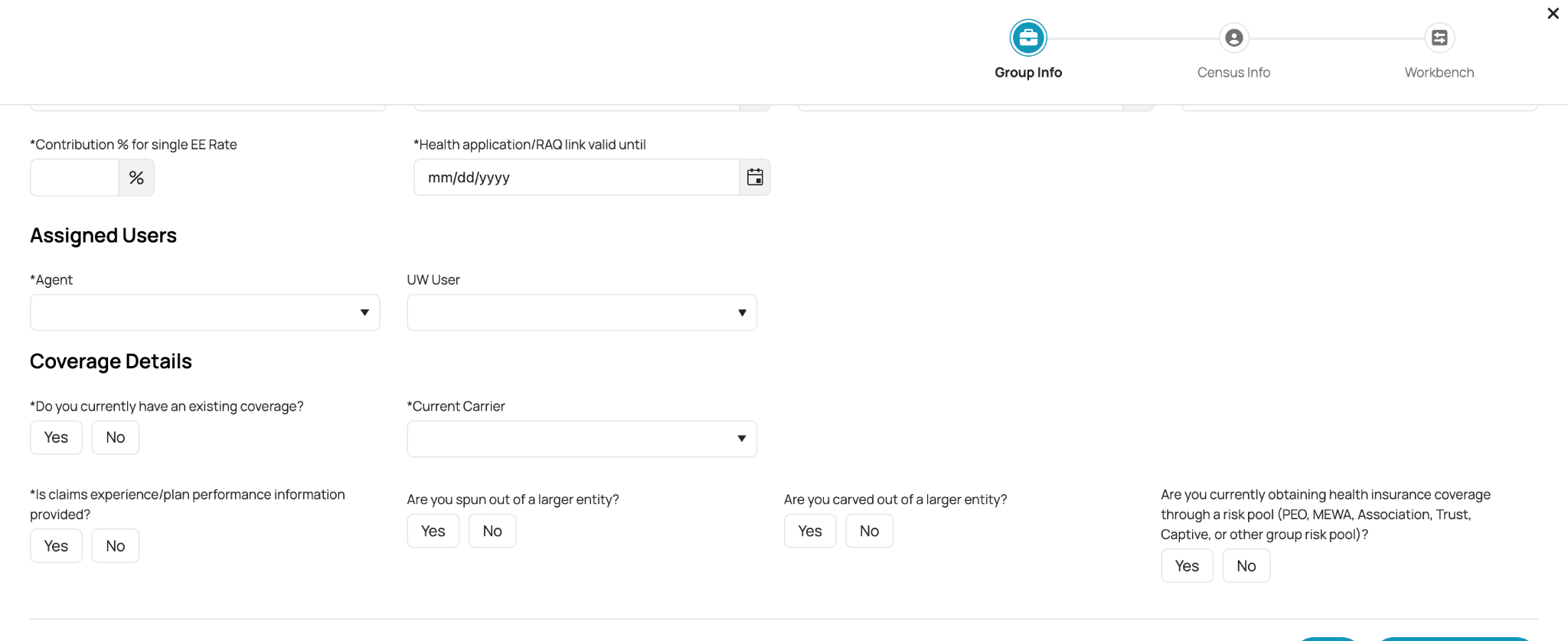
User Fields: Optionally add an underwriter to be notified of group updates.
Coverage History: Indicate whether the group has existing coverage and select the current carrier if applicable.
Application and Management
Health Application Link: Clicking "Save" generates a Health Application Link, which is copied to your clipboard.

Employee Process: Brokers send this link to employees, who use it to register and complete their group health applications.
Monitoring: As employees complete their applications, their information populates the census info screen. Once finished, you can navigate to the "Workbench" to process risk factors and finalize the group.
Was this article helpful?
That’s Great!
Thank you for your feedback
Sorry! We couldn't be helpful
Thank you for your feedback
Feedback sent
We appreciate your effort and will try to fix the article