Overview
Changing the status of a quote is essential for tracking progress and ensuring RFPs move through the correct underwriting stages. Whether you’re managing RFPs directly from the dashboard or working inside a specific RFP, the platform offers multiple paths to update quote status quickly and accurately.
This guide outlines two common methods to update quote status:
Method 1: Update Quote Status From the main dashboard
From the main RFP Dashboard, locate and click on the target RFP.
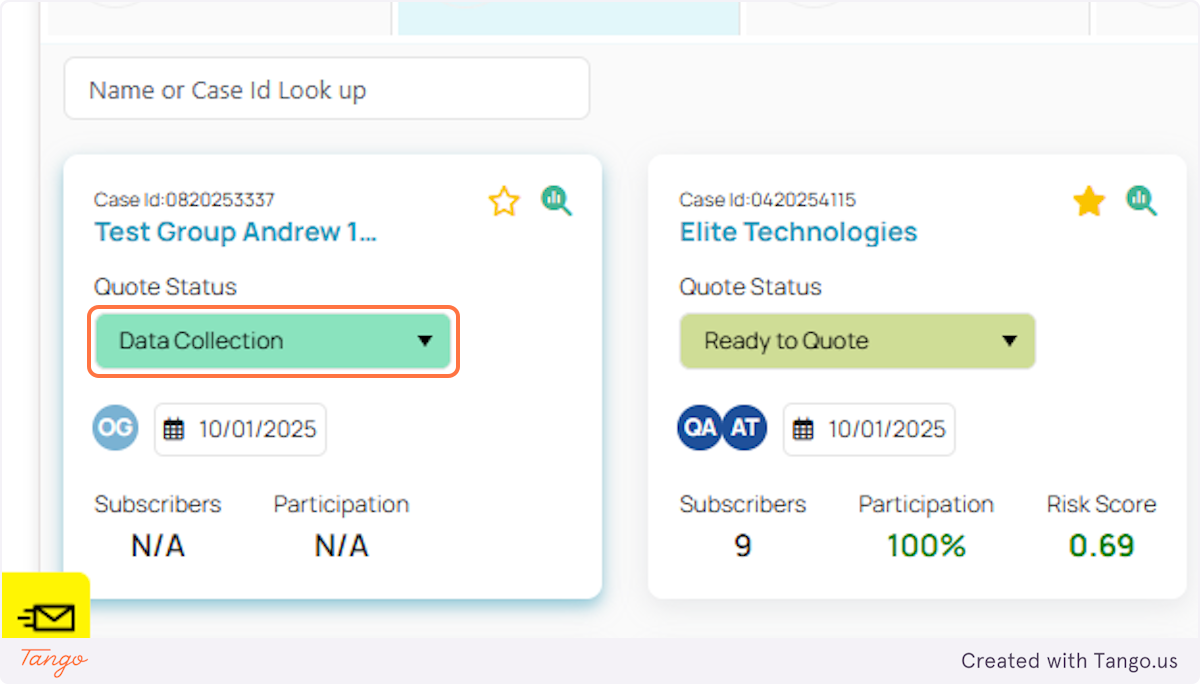
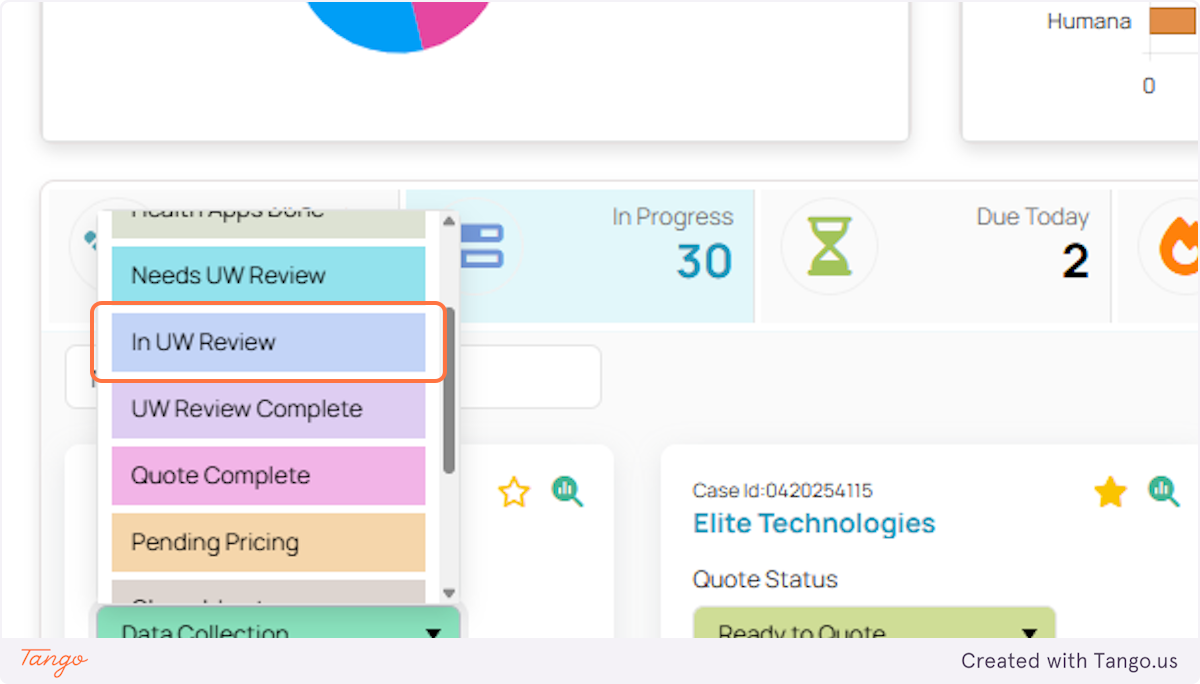
Select the appropriate new status from the dropdown.
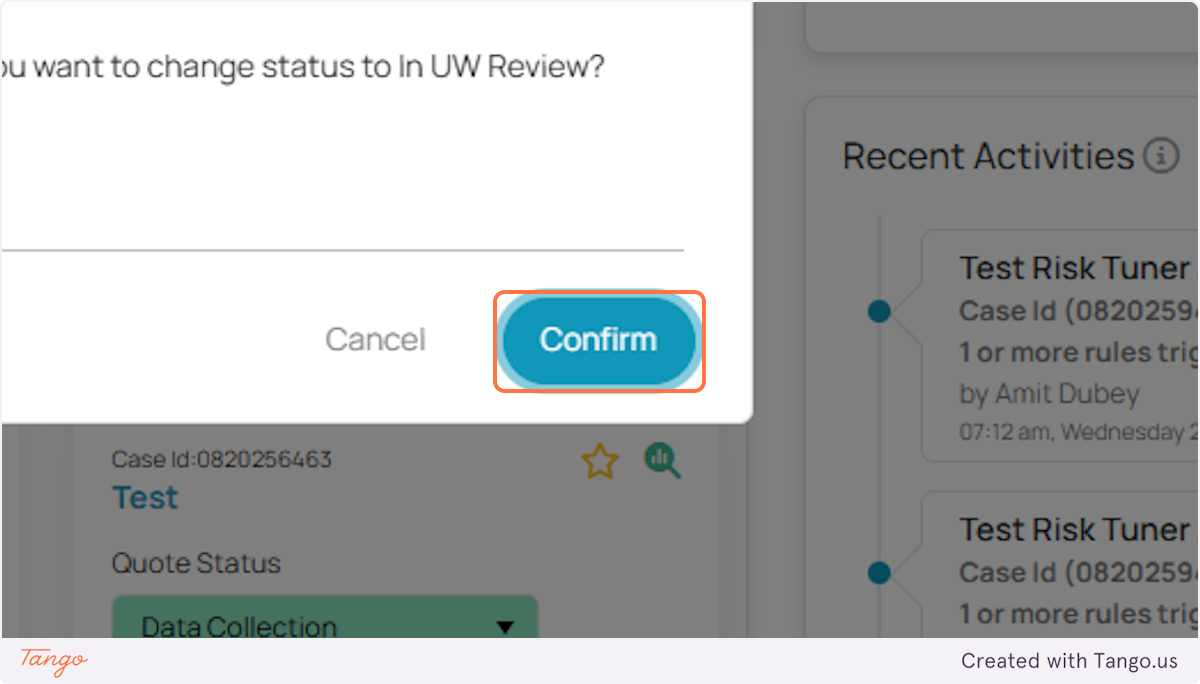
Click CONFIRM.
Method 3: Update Quote Status using Workbench inside the RFP.
1. Click on Workbench inside the RFP.
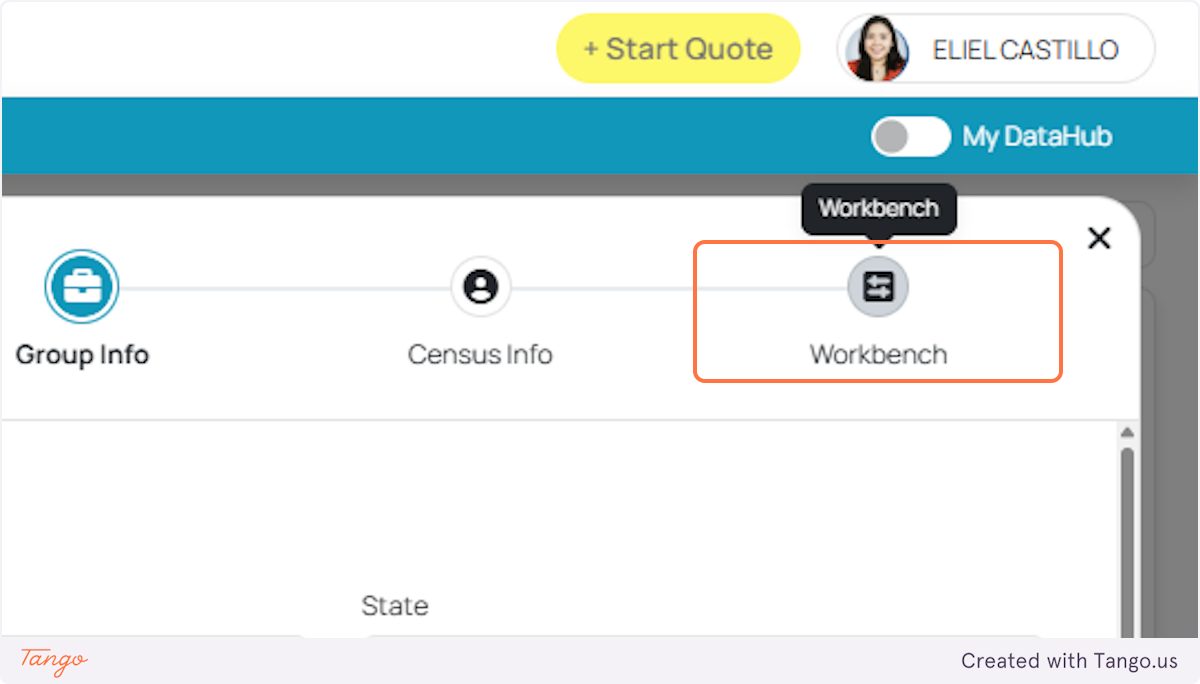
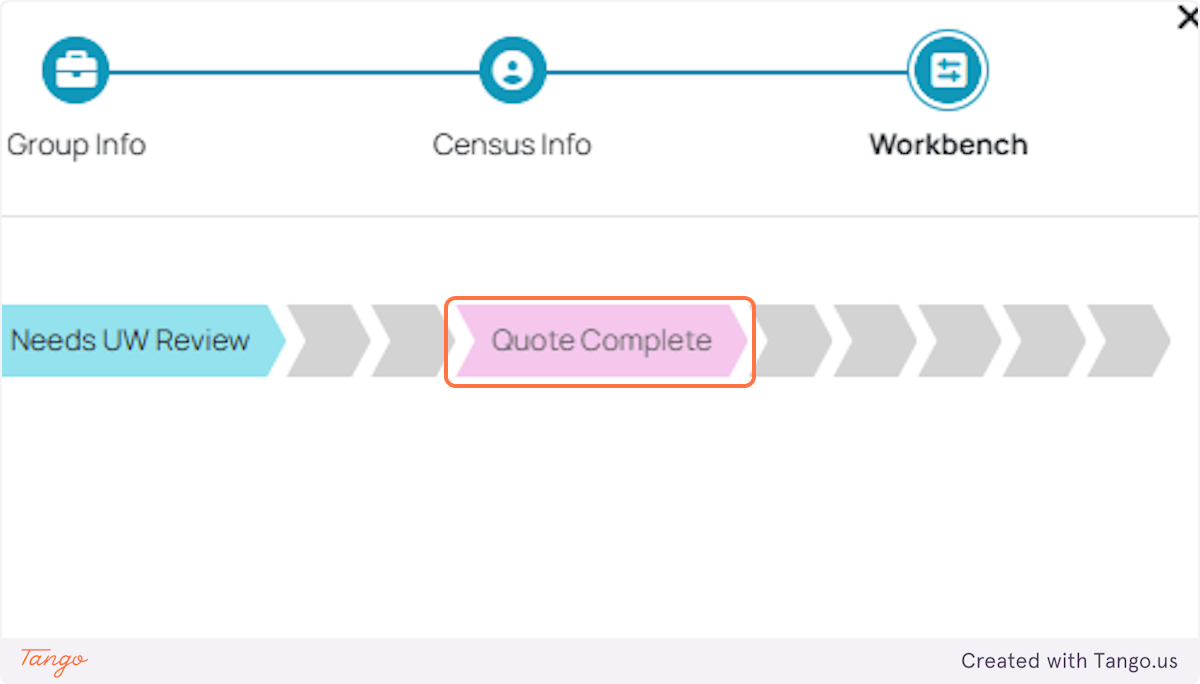
2. Once you’re in, on the upper right side of the screen, a status progress bar is shown. As you move your mouse over this bar, the stages of a quote will show one at a time.
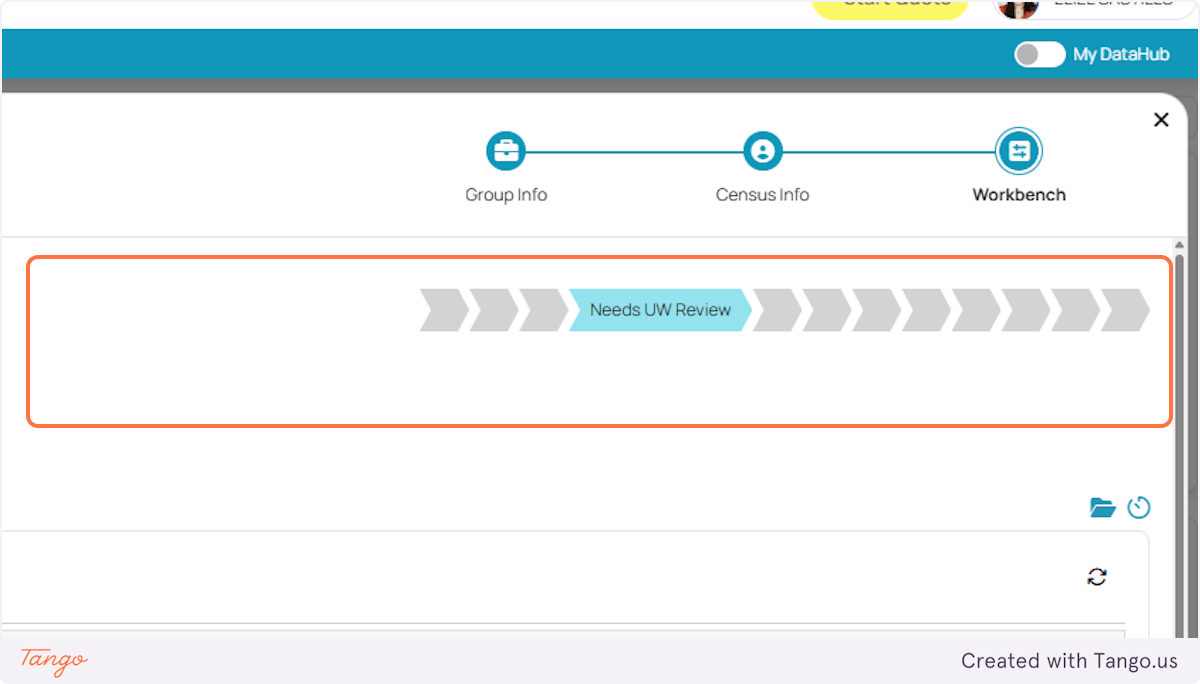
3. Choose on whatever the status of the quote is and don’t forget to click Confirm afterwards.

Was this article helpful?
That’s Great!
Thank you for your feedback
Sorry! We couldn't be helpful
Thank you for your feedback
Feedback sent
We appreciate your effort and will try to fix the article