The mass update feature allows you to change the status of multiple RFPs at once directly from the dashboard. This helps reduce manual work and ensures your groups are updated quickly and consistently.
How to Mass Update an RFP Status
Step 1: Go to the Dashboard
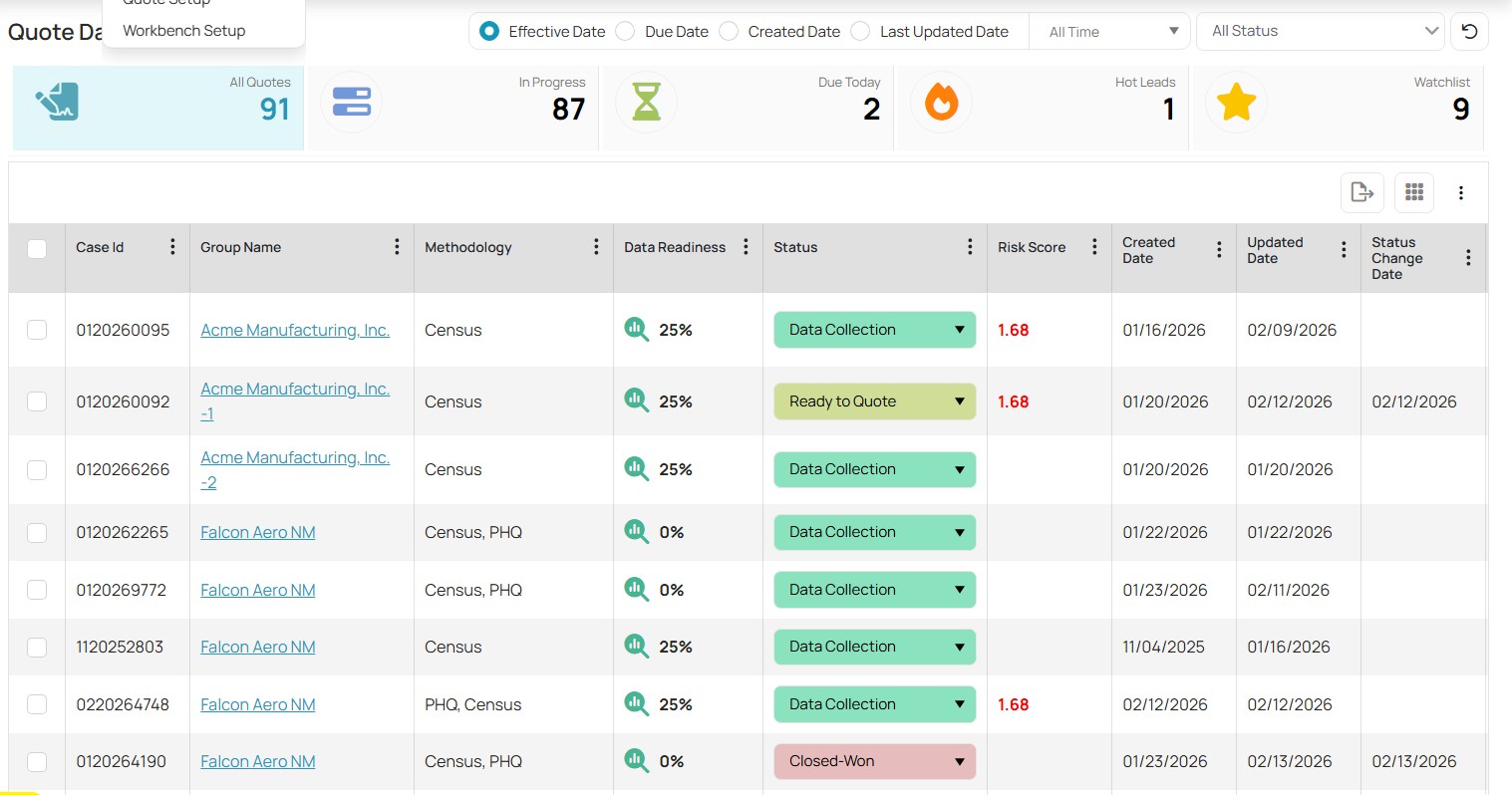
Navigate to your RFP dashboard where all quotes are displayed and select List View:
Step 2: Select the RFPs
Use the checkboxes beside each group to select the RFPs you want to update. You may select multiple groups at the same time.
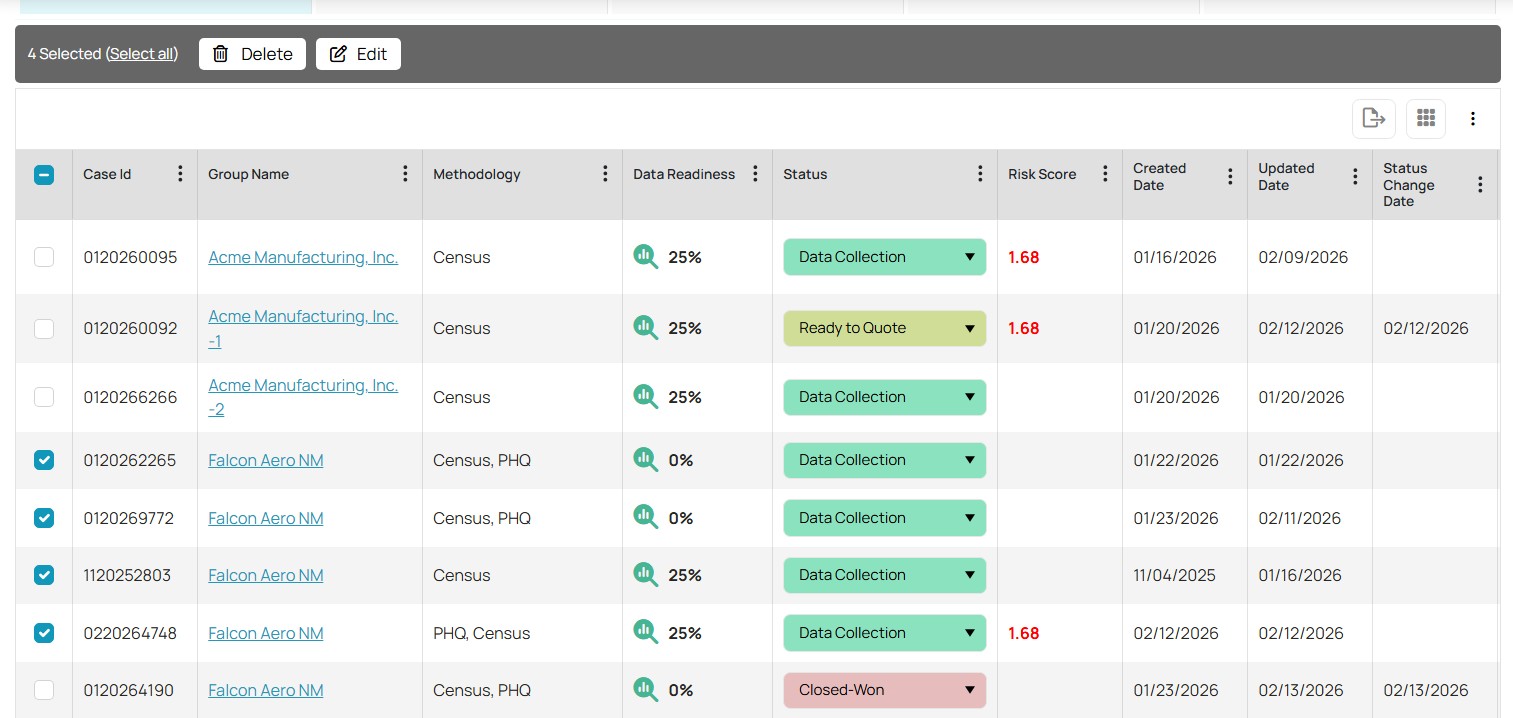
Step 3: Click “Edit”
Once your selections are made, click the Edit button located above the list.
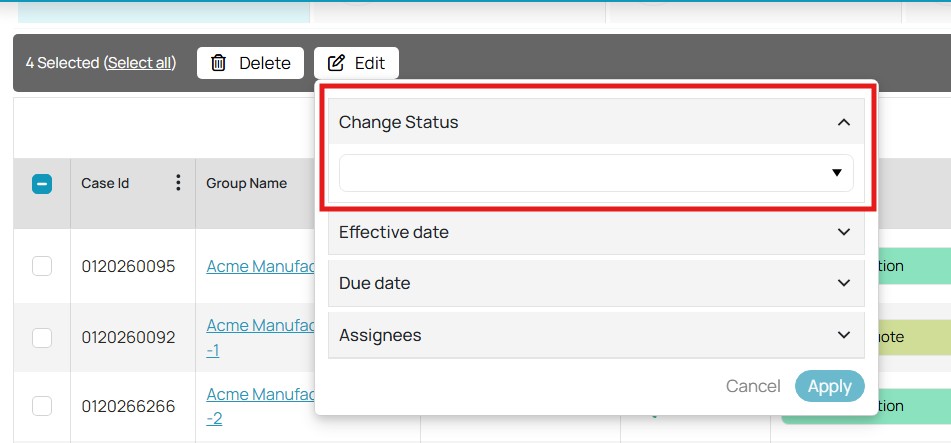
Step 4: Update the Status
In the pop-up window:
Expand Change Status
Choose the desired status from the dropdown menu (e.g., Closed-Won, Closed-Lost, etc.)
Step 5: Apply the Changes
Click Apply to save your updates. The selected groups will immediately reflect the new status.
Tips for Best Use
Double-check your selections before applying changes to avoid unintended updates.
Consider filtering or sorting your dashboard first to quickly locate the correct groups.
Use this feature when closing multiple RFPs to maintain accurate pipeline visibility.
Was this article helpful?
That’s Great!
Thank you for your feedback
Sorry! We couldn't be helpful
Thank you for your feedback
Feedback sent
We appreciate your effort and will try to fix the article