The Bulk Actions feature in DataHub allows you to update or delete multiple RFPs at once directly from the List View. This saves time and ensures consistency when managing multiple records.
⚠️ Note: Bulk Actions are only available in List View.
When to Use Bulk Actions:
Use Bulk Actions when you need to:
- Update the status of multiple RFPs
- Modify the effective date
- Change the due date
- Reassign ownership
- Delete multiple RFPs
How to Select Multiple RFPs
1. Navigate to the List View page
2. Locate the checkboxes beside each RFP ID
3. Select the RFPs you want to modify by checking the boxes
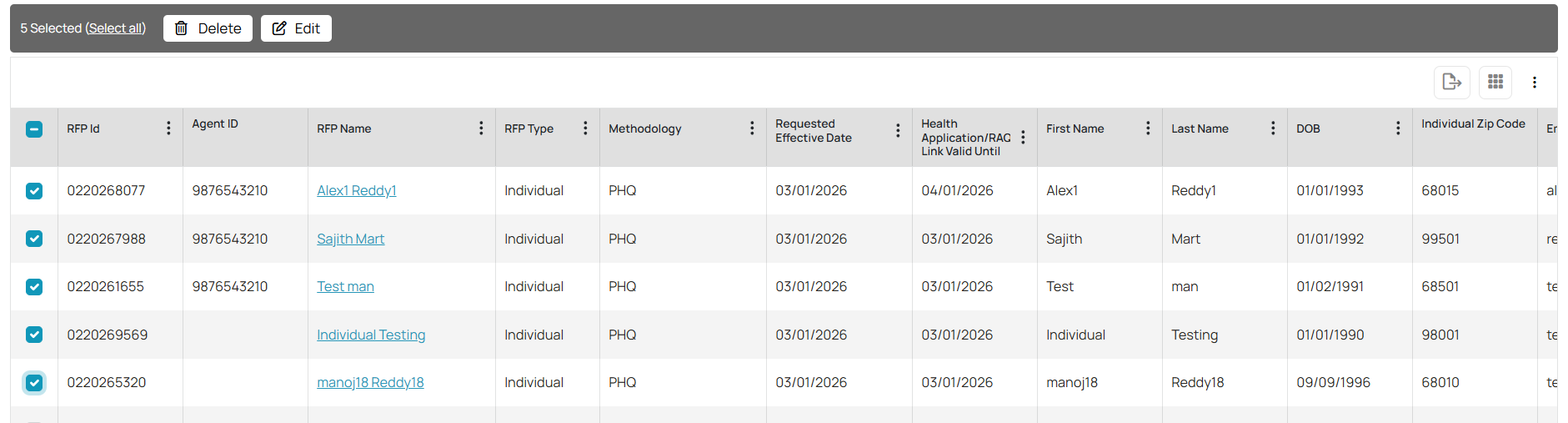
As soon as at least one RFP is selected, a toolbar will appear at the top of the table showing:
1. Number of selected records
2. Delete button
3. Edit button
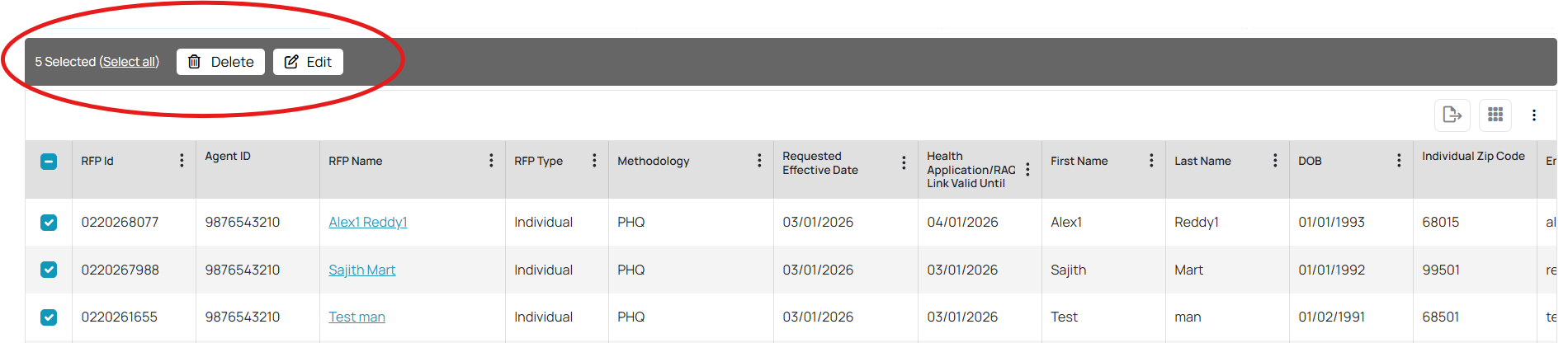
You may also click Select all if you wish to apply the action to all visible records.
Bulk Edit:
To update multiple RFPs at once:
1. Select the desired RFPs using the checkboxes.
2. Click Edit.
3. A bulk edit panel will open with the following options:
- Change Status
- Effective Date
- Due Date
- Assignees
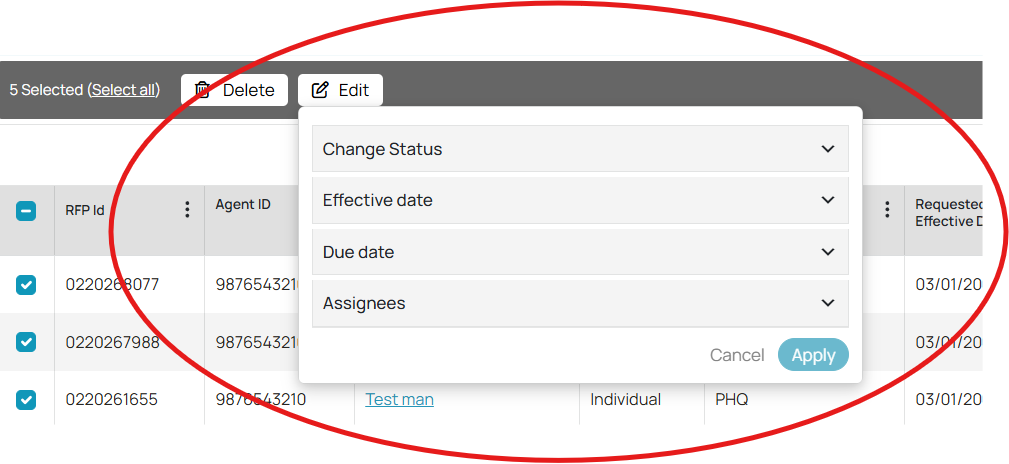
4. Expand the section(s) you want to modify.
5. Enter or select the new value.
6. Click Apply.
The selected change(s) will automatically apply to selected RFPs.
Bulk Delete
To delete multiple RFPs
1. Select the desired RFPs using the checkboxes.
2. Click Delete.
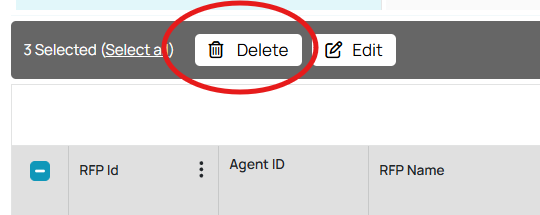
3. Confirm the deletion when prompted.
Using Bulk Actions helps streamline your workflow and maintain data accuracy across groups.
Was this article helpful?
That’s Great!
Thank you for your feedback
Sorry! We couldn't be helpful
Thank you for your feedback
Feedback sent
We appreciate your effort and will try to fix the article