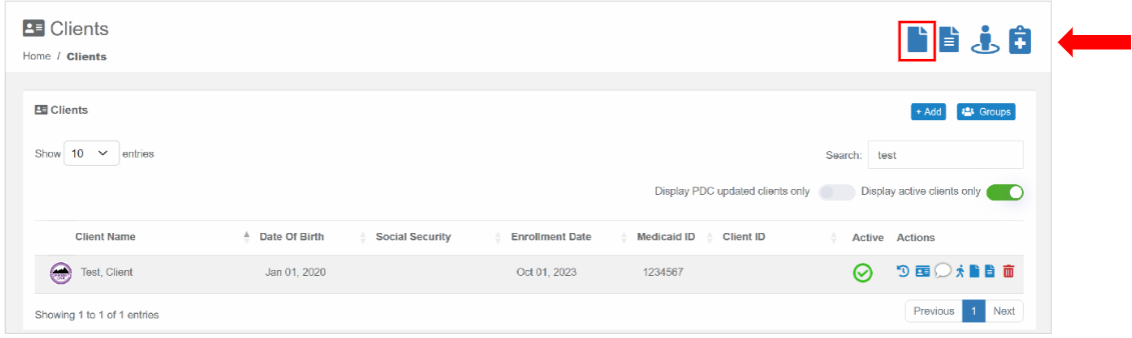
To file an incident report, from the landing page select the “Incident Report” icon in the top right.
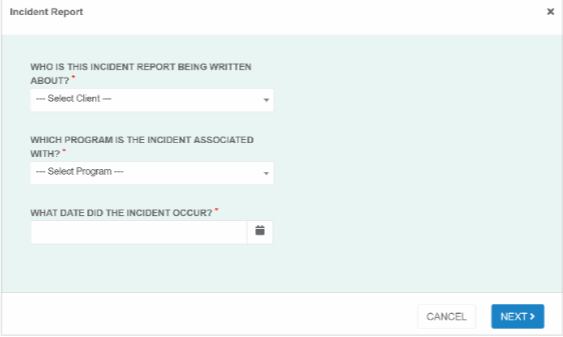
It will then prompt you to select the client you are writing the report for, which program, and the date. After entering this information click “Next.”
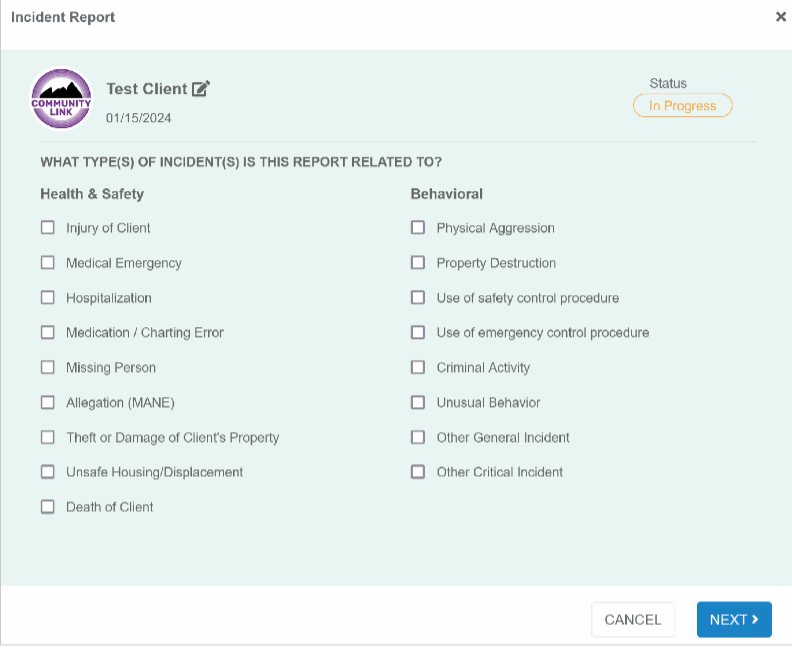
You will then select which category of incident report you are creating and hit “Next” where you will then be prompted to enter all required information which will be marked with a red asterisk. It will then be submitted for review by a supervisor.
Was this article helpful?
That’s Great!
Thank you for your feedback
Sorry! We couldn't be helpful
Thank you for your feedback
Feedback sent
We appreciate your effort and will try to fix the article