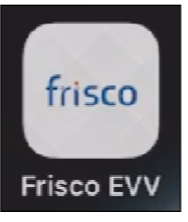
If you must complete an encounter for a service that requires EVV you will need to download the Frisco EVV app which is available for all mobile devices. This app currently only provides support for completing scheduled encounters, meaning that if a service is not scheduled it will not appear in the app for you to complete an EVV entry. If you cannot see an encounter, please check the schedule by logging into the Frisco platform using your web browser and add the scheduled encounter there first. The app should have the icon as shown here:
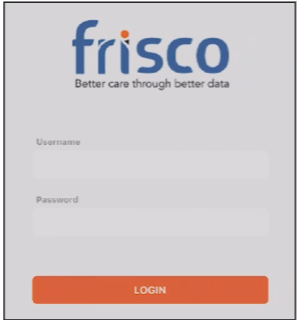
After downloading the app and ensuring that there are encounters schedule for the day, you can log into the EVV app using the same credentials as you would when logging into the Frisco website.
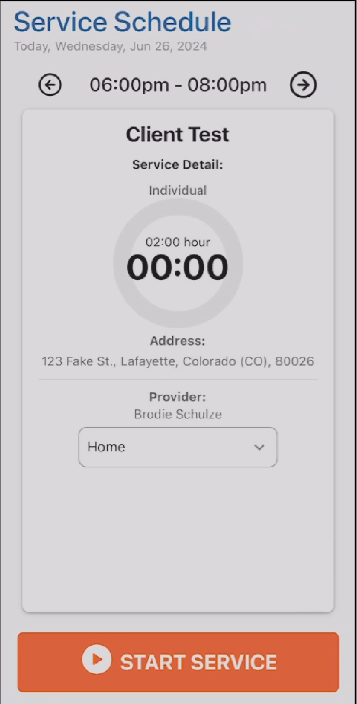
Upon logging in, any encounters that are scheduled for today will populate as an option for you to select. To begin recording EVV data you would select the service from the schedule, and it will open a new screen that contains the details of the scheduled encounter. If necessary, you can change the place of service from “Home” to “Other.” You can then select “Start Service” and it will begin recording the service time and geo-location of the device. When you are done providing the service you would select “Stop Service” and it will automatically update the encounter start and end time in Frisco to match. Note, you do not have to wait until the scheduled time to start/stop a service and you should begin and end the service to match your actual service delivery.

If you are a live-in caregiver and you have completed the Legal Exemption process, you do not have to complete EVV entries and can complete these services using a manual entry on the Frisco site. To do so, follow the Encounter note process outlined above with some minor differences. First, Frisco will ask for a “Reason” why an EVV service is being provided without using the EVV app. Please select “Manual Entry of EVV Required” from the list of reasons as shown below.

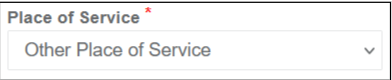
Second, when completing the Encounter note you will be prompted to select the “Place of Service” and for legally exempt entries you must select “Other Place of Service.” Even if the service was provided at Home you cannot select that place of service or the State of Colorado system will reject the entry without EVV data. This selection is at the very bottom of the Place of Service list and it should look like this when completing your note.
After completing either an EVV entry through the app or a manual entry through the website you can fill out the rest of the encounter note from there. Please note that completing the entry from the EVV app only records that time and does not complete the full Encounter note. You must still login to Frisco and complete the necessary documentation before that Encounter note is complete.
Additionally, if you forget to use the EVV app when you should have you would use this same process to add one manually but select the appropriate reason from the list and use the place of service code that is applicable. In almost every case, the place of service code should either be Home or Other Place of Service. If you are not should which one to use, please contact the your admin team for assistance. If you need to adjust the times that were entered for an EVV service, you can edit those from the Frisco site using the Encounter edit feature as shown below.


Was this article helpful?
That’s Great!
Thank you for your feedback
Sorry! We couldn't be helpful
Thank you for your feedback
Feedback sent
We appreciate your effort and will try to fix the article