Step 1: Access the Login Screen
Navigate to the DataHub login page.
You will see the screen with the message:
“Welcome, Let’s get you in!”
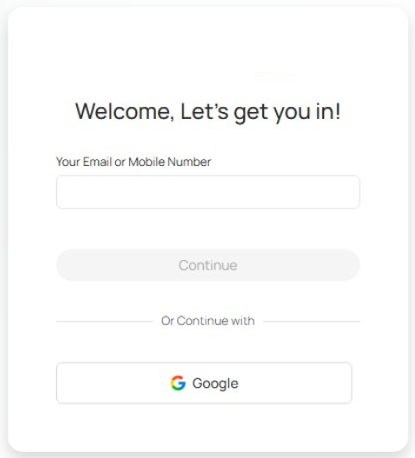
Below the email field, select:
Continue with Google
Step 2: Select Your Google Account
After clicking Google, a Google authentication window will appear.
Step 3: Authenticate with Google
If prompted:
Enter your Google password
Complete any Google security verification (if required)
Step 4: Processing
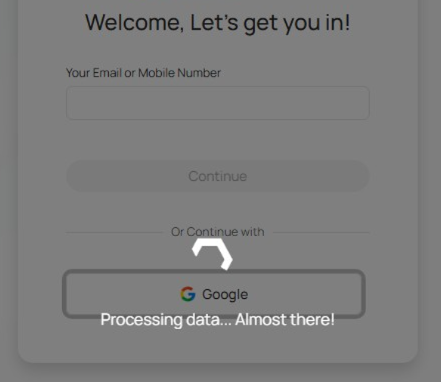
Once authenticated, you may briefly see a message:
“Processing data… Almost there!”
Please wait while the system securely verifies your credentials and redirects you to your DataHub dashboard.
Step 5: Access Dashboard
After successful authentication, you will be redirected to the DataHub Dashboard, where you can begin working.
You have successfully logged into DataHub using SSO.

Was this article helpful?
That’s Great!
Thank you for your feedback
Sorry! We couldn't be helpful
Thank you for your feedback
Feedback sent
We appreciate your effort and will try to fix the article