The Dashboard View feature in DataHub allows you to choose between Tile View and List View when working with client data. This preference is saved automatically, so your chosen layout will remain the same even after logging out and back in.
Why is it useful?
By saving your preferred dashboard layout, you can work in the format that’s most comfortable and efficient for you without needing to reconfigure it each time you log in. This small but powerful customization can improve navigation speed and overall productivity.
Step-by-Step Instructions
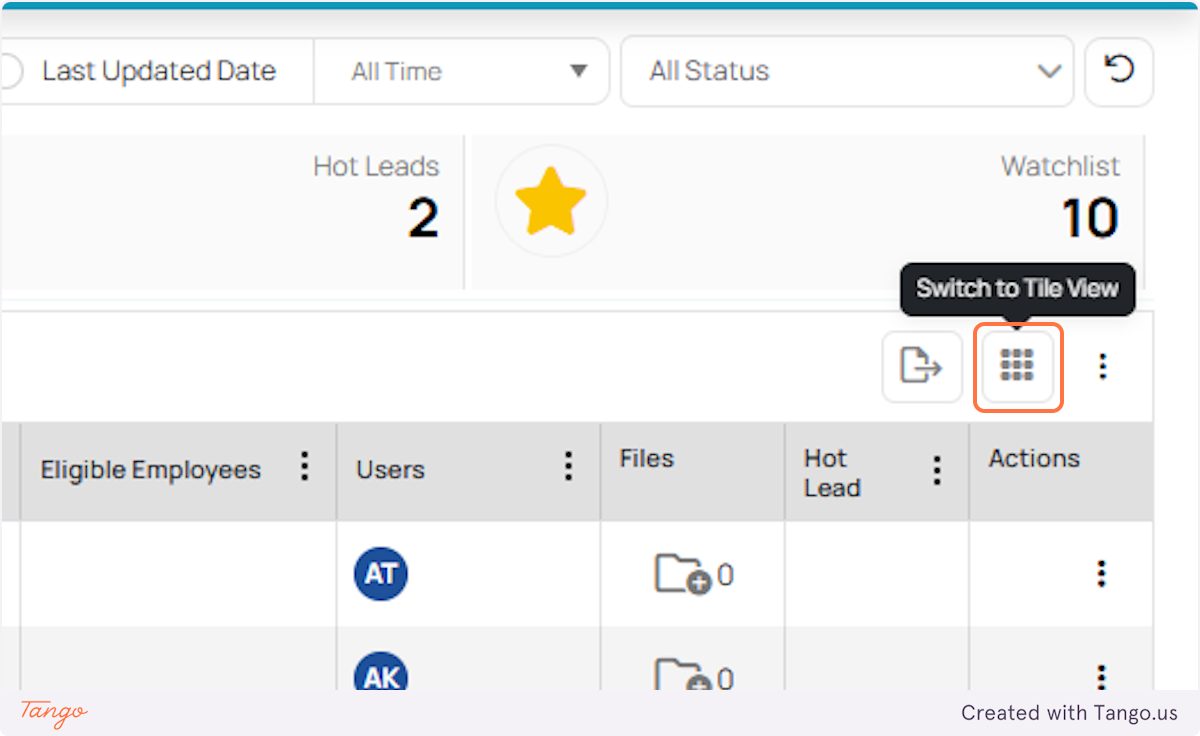
1. While on the DataHub dashboard, locate the toggle button. Right now, you might be in List View. Click the button to Switch to Tile View.
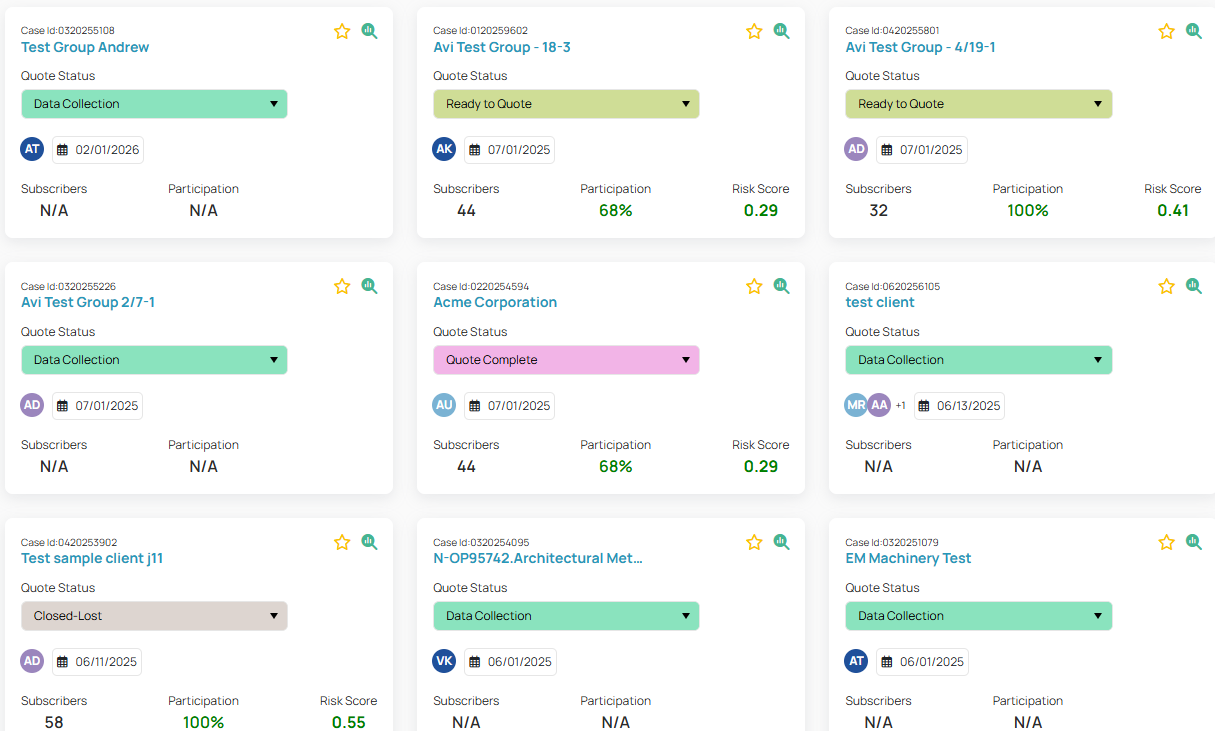
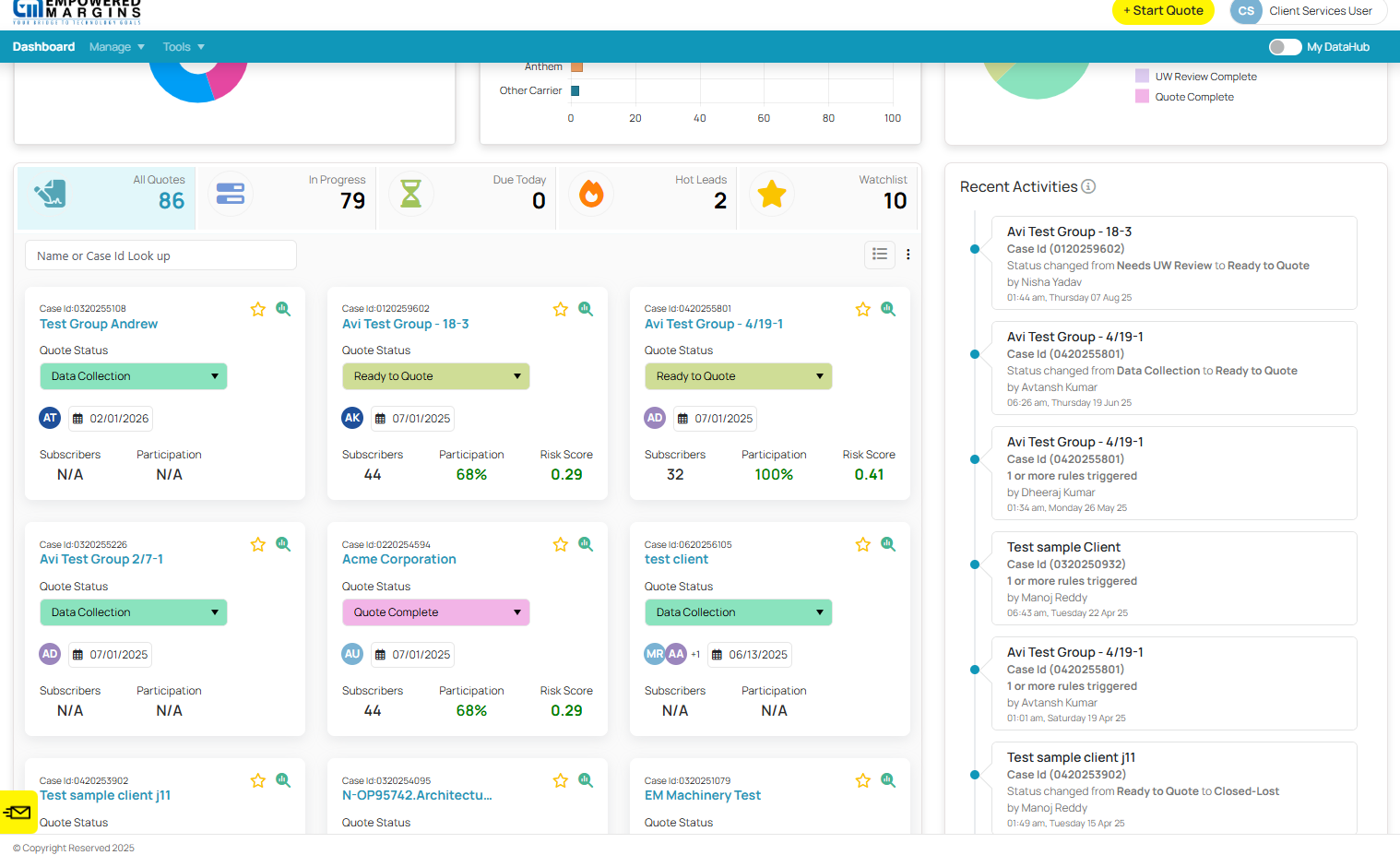
2. You’ll see your dashboard instantly change to the tile layout - giving you a more visual, block-style view of your data.
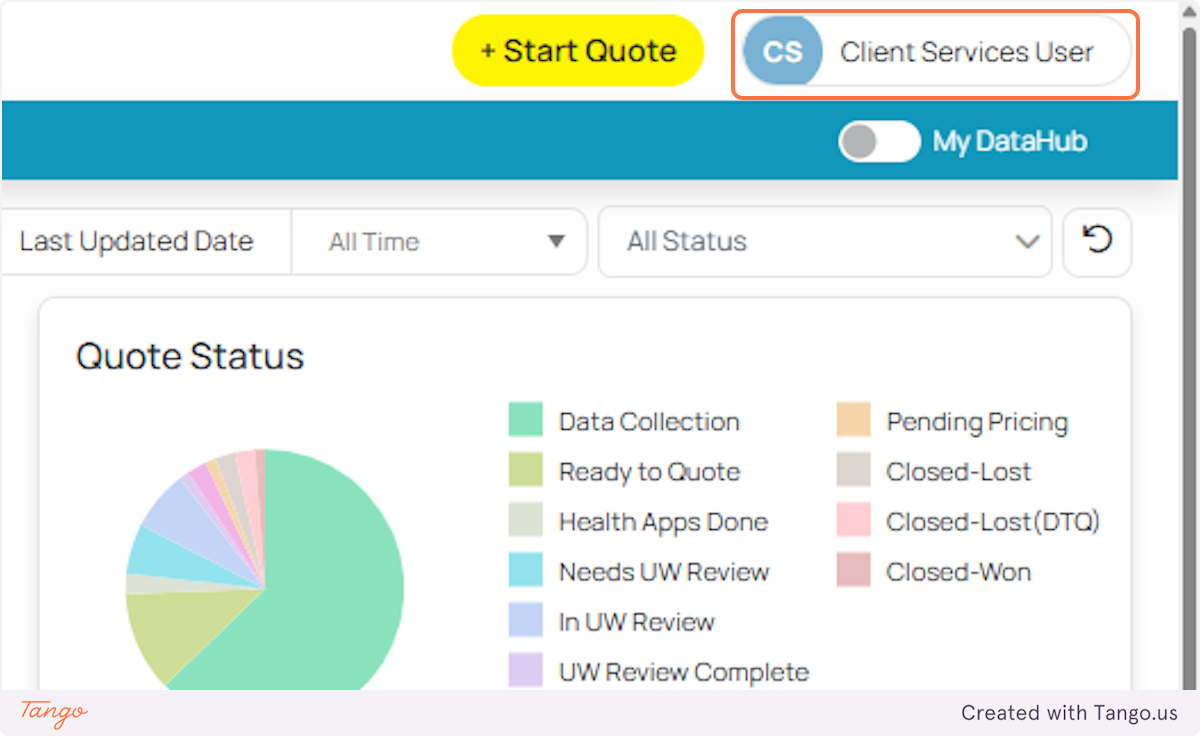
3. Now let’s test if the system remembers your choice. Click your profile which is on the top-right corner.
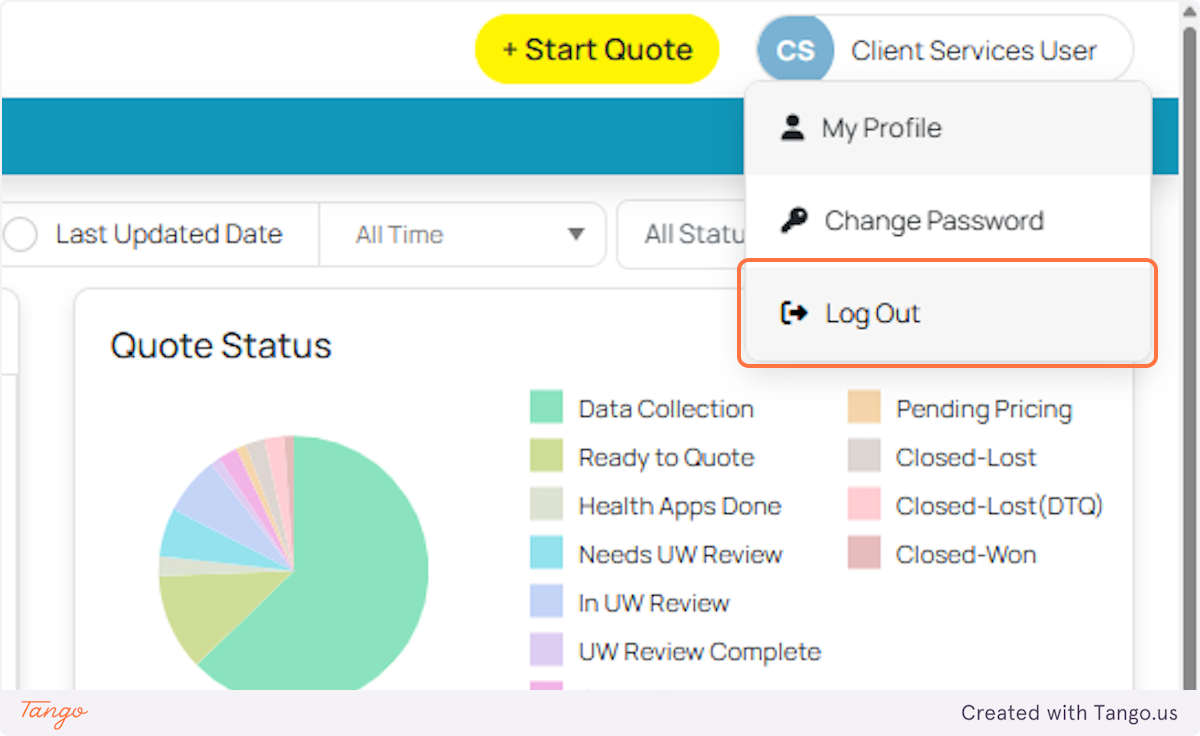
4. Select Log out.
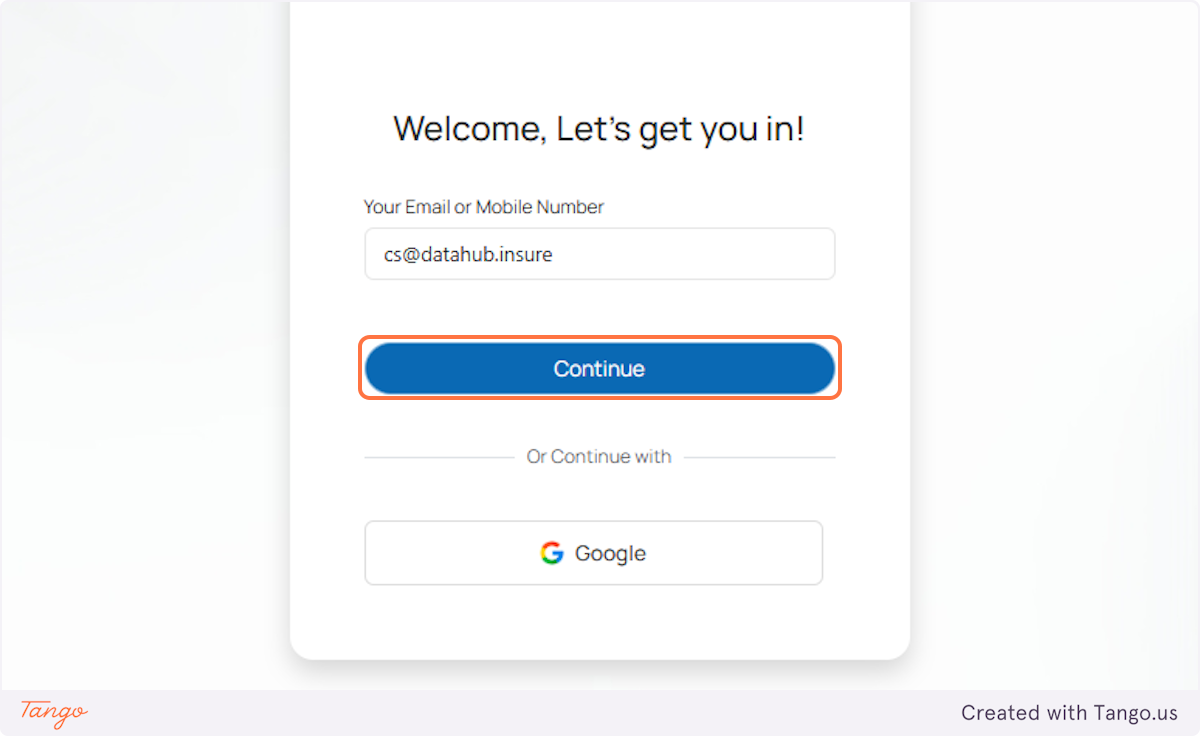
5. Then we sign back in. Enter your credentials and on the prompt, click continue.
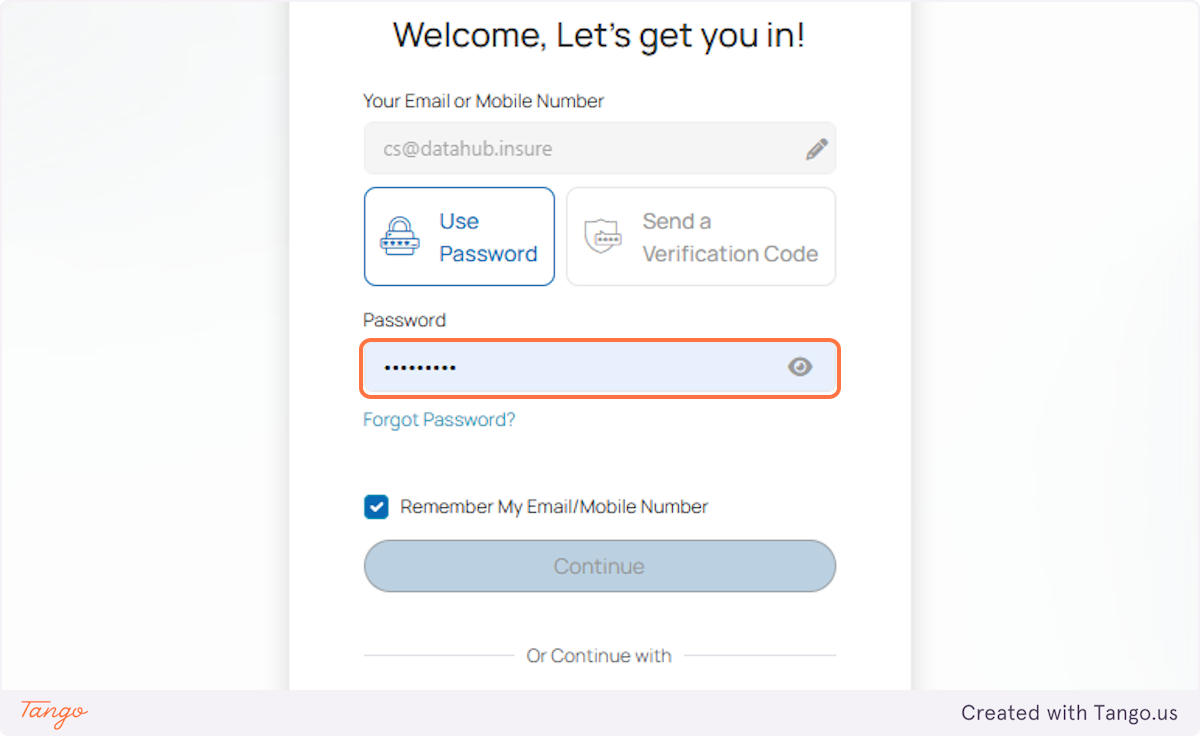
5. Enter your password and click Continue again to log back in.
8. Notice that the dashboard is still in Tile View - exactly as you set it before logging out.
Tip: You can switch back to List View at any time using the same toggle button, and your new choice will also be saved for your next session!
Was this article helpful?
That’s Great!
Thank you for your feedback
Sorry! We couldn't be helpful
Thank you for your feedback
Feedback sent
We appreciate your effort and will try to fix the article